# Transformar CIOT em MDF-e
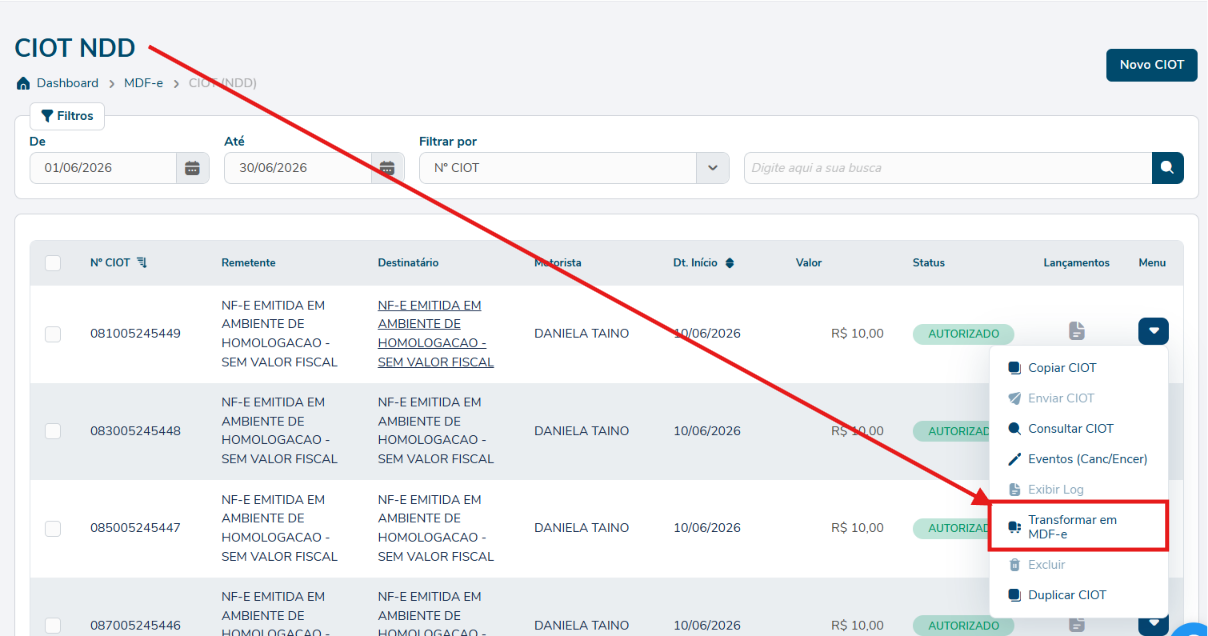
##### Quando o CIOT está Autorizado, o menu mostra a ação Transformar em MDF-e (ícone caminhão).
[](https://docs.softensistemas.com.br/uploads/images/gallery/2026-06/image-1781537792644.png)
#####
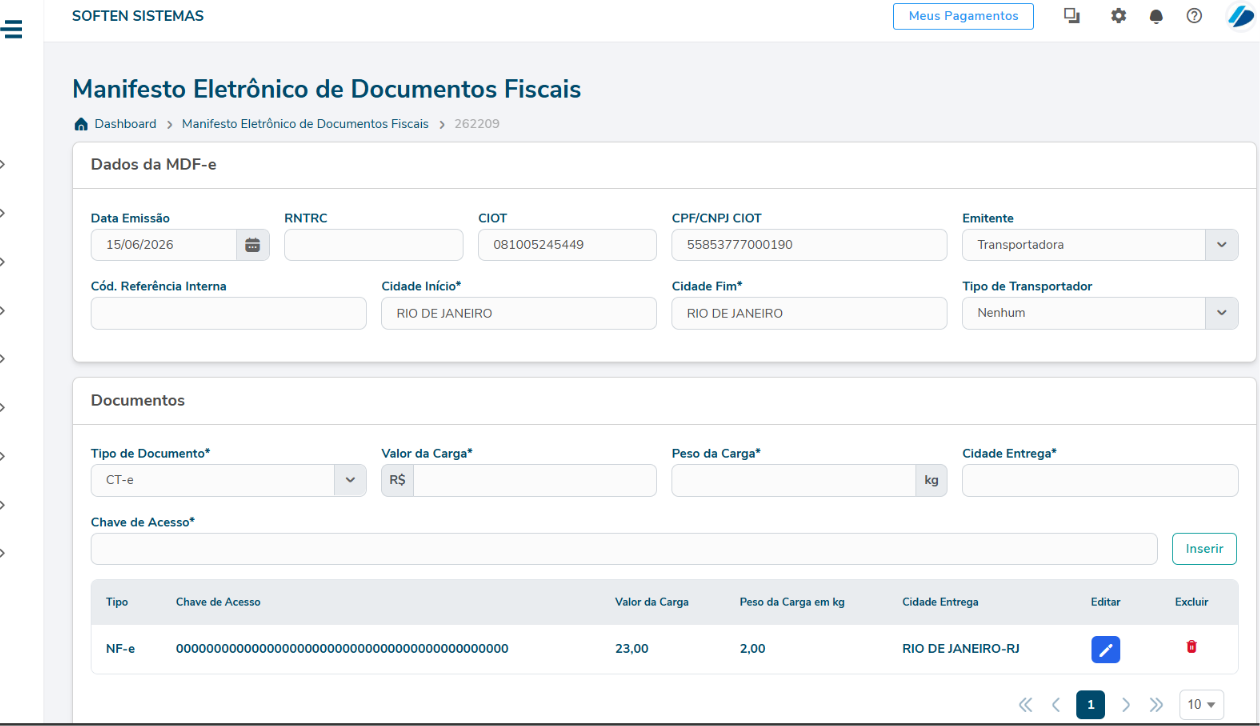
O usuário já é direcionado para a tela de edição do mdfe, porém o mesmo já fica salva em rascunho se ele não desejar gerar naquele momento.
[](https://docs.softensistemas.com.br/uploads/images/gallery/2026-06/image-1781537848265.png)
##### **O que o sistema preenche automaticamente**
- ##### Cabeçalho (série, ambiente, data, empresa, RNTRC)
- ##### UF de carregamento e descarregamento
- ##### Tipo de emitente = Prestador de Serviço de Transporte (sempre)
- ##### Número do CIOT no campo correspondente
- ##### CNPJ contratante = CNPJ do Ponto Emissor configurado
- ##### Documentos vinculados (NF-e/CT-e do CIOT)
- ##### Motoristas e veículos
- ##### Valor da carga, peso, CEPs
- ##### "Informar Lotação" marca-se automaticamente se houver 1 único documento
##### **O que o usuário precisa completar no editor MDF-e**
- ##### Produto predominante (texto livre)
- ##### NCM predominante (8 dígitos — o CIOT só tem 4)
- ##### UFs de percurso (intermediárias)
- ##### Categoria de combustível
- ##### Outras informações específicas do MDF-e
Depois é só validar normalmente o mdfe enviando ao governo.
- - - - - -
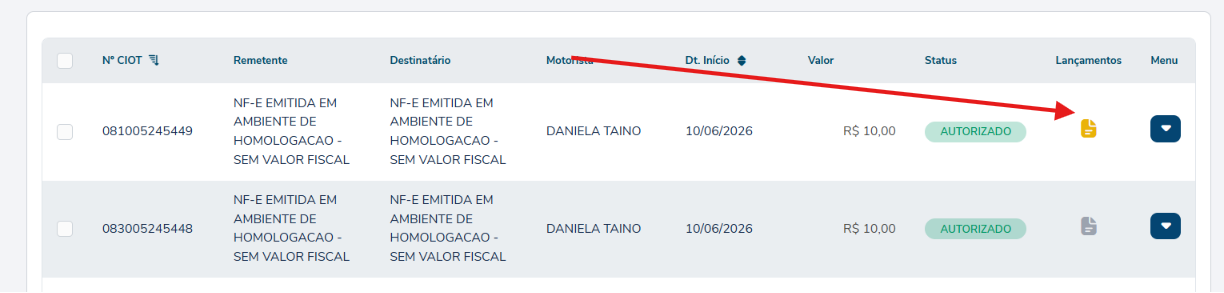
**Coluna "Lançamentos" na listagem do CIOT**
- ##### Ícone amarelo = MDF-e já gerado para esse CIOT
- ##### Ícone cinza = ainda não gerou
[](https://docs.softensistemas.com.br/uploads/images/gallery/2026-06/image-1781538310534.png)
##### **O que acontece se o MDF-e for excluído depois ?**
##### O vínculo é desfeito automaticamente: o ícone volta a cinza e o botão "Transformar em MDF-e" reabilita.
#####
#####